
Gwenview
Read our comprehensive review of Gwenview, the fast and intuitive Linux image viewer by KDE designed for seamless photo browsing and basic editing.
When managing a growing library of digital photos, having an agile, responsive tool is essential. The Gwenview image viewer by KDE delivers exactly that experience, stripping away the bloat often found in heavy graphics suites to focus on speed, clarity, and ease of use. Designed specifically for the Linux platform, this utility feels incredibly lightweight while still packing a surprising amount of utility for everyday curation.
An Intuitive Interface for Effortless Media Browsing
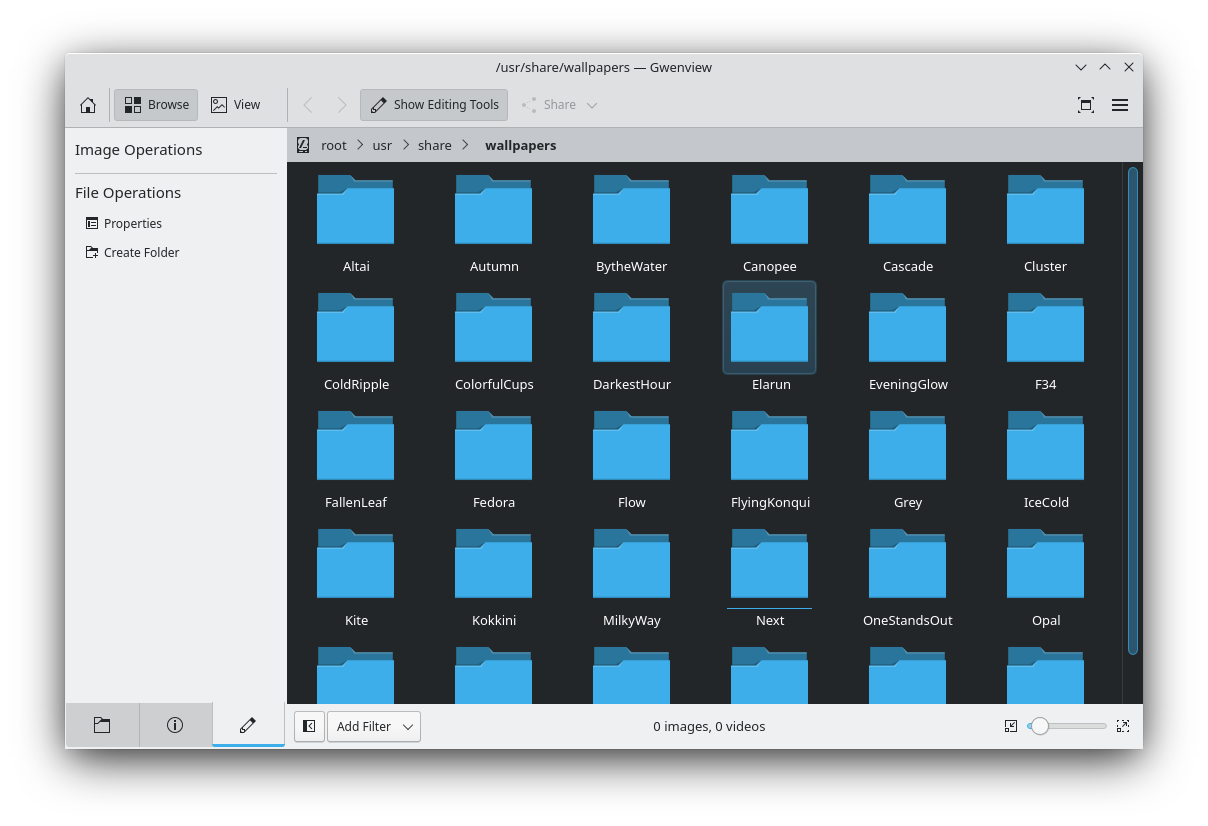
From the moment you launch the Gwenview image viewer, the focus is entirely on your media. The application allows you to navigate through complex folder structures effortlessly. Whether you are scrolling through high-resolution camera imports or sorting web graphics, the rendering engine displays your files with minimal latency. It serves as an ideal bridge between a simple directory explorer and a dedicated post-processing environment.
Essential Editing and Annotation Tools
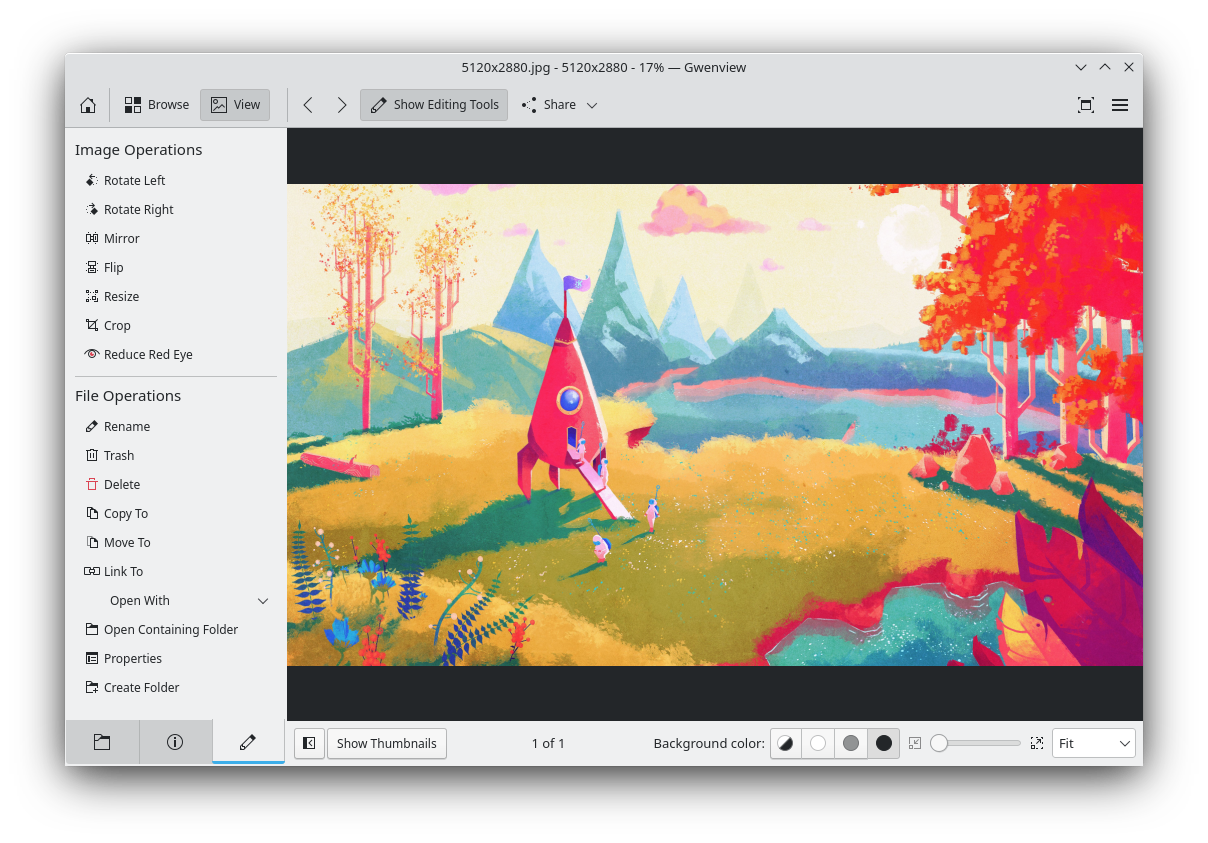
While primarily built for showcasing your gallery, this versatile utility goes beyond passive viewing. Users have access to a practical set of built-in manipulation features:
- Quick Adjustments: Easily rotate, crop, resize, mirror, or flip your graphics on the fly.
- Color & Contrast Tuning: Tweak essential levels including brightness, contrast, and gamma, or quickly reduce red-eye from portraits.
- Rich Annotations: Mark up your files directly by adding clear arrows, geometric shapes, customizable text boxes, and image stamps.
Streamlined File Management
To help keep your storage organized, the Gwenview image viewer integrates basic desktop management features directly into its workflow. Without leaving the application interface, you can copy, move, delete, and rename files. This makes the tedious process of sorting through hundreds of daily shots much more efficient, keeping your creative workspace clean and structured.
Is It Right for Your Workflow?
If you need an advanced raw developer or a multi-layered painting application, you will want to look elsewhere. However, if your goal is to find a fast, dependable tool to review, annotate, and organize your design assets on Linux, this software is tough to beat. To try it out on your system, visit the official Flathub store page today.